for Premiere Pro and After Effects
Draw over your footage. Draffi brings it to life.
Turn rough arrows, circles and sketches into animated scribble ink, rendered as transparent clips on your timeline. No After Effects keyframing needed.
End where you started to fill it with scribbles.Close a shape to fill it.
One-time payment. No subscription.
Free includes every feature, with 10 exports in total: one per clip placed on your timeline. Updating a clip in place doesn’t count. Pro is unlimited.
Windows · Premiere Pro 2026+ · After Effects 2025+
draw + follow movement
Circle the runner. The circle runs with them.
Trace over the frame at your playhead or draw from scratch. Draffi animates your marks as hand-drawn ink and can make them move and scale with something in your footage.
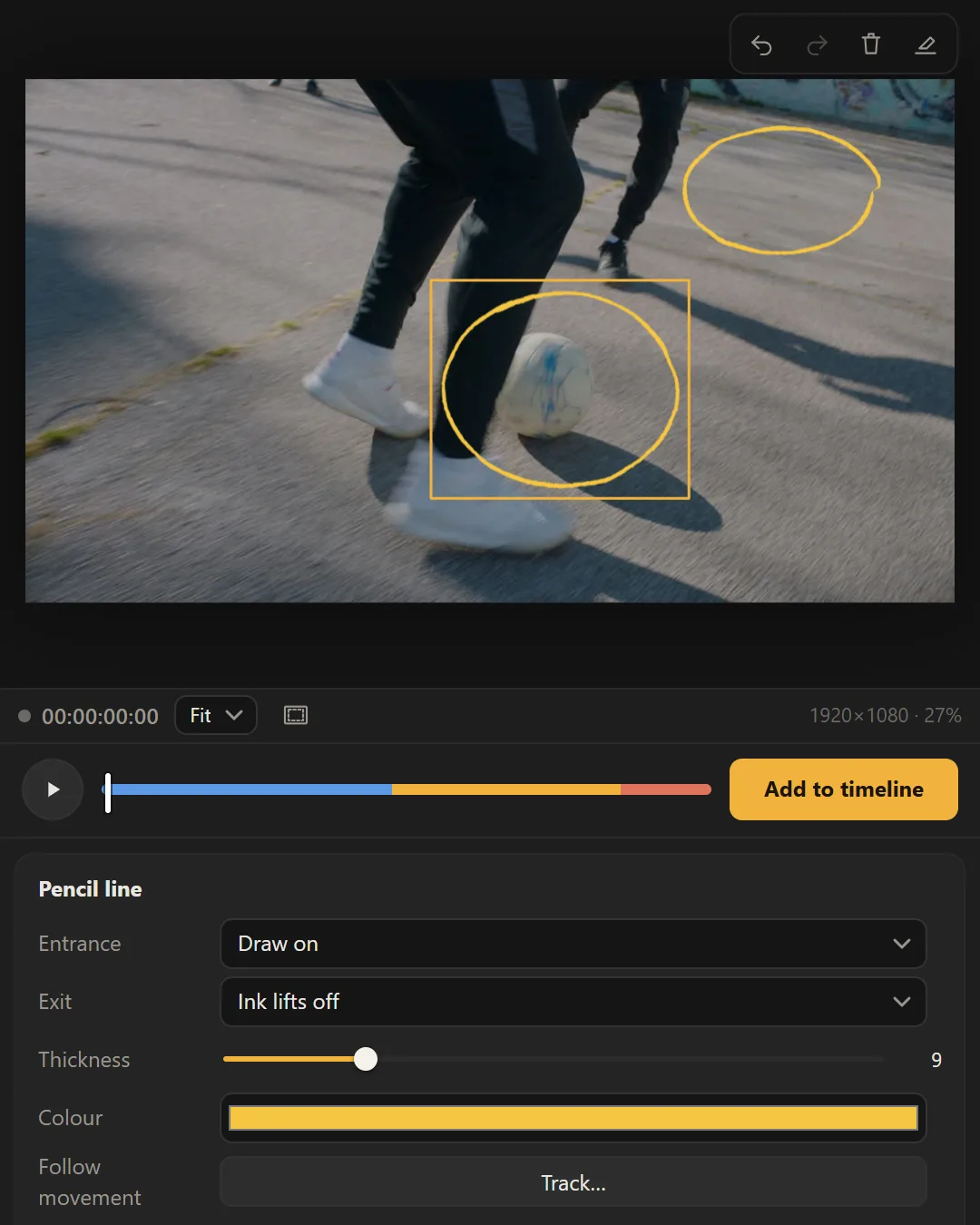
Draw with pen, pencil, lines, arrows, rectangles and ellipses. Closed shapes can fill with scribbles. Choose how the ink draws on (draw on, pop in, appear) and how it goes (ink lifts, scribble out, pop out, or stays).
Get Draffi Pro $9doodle library
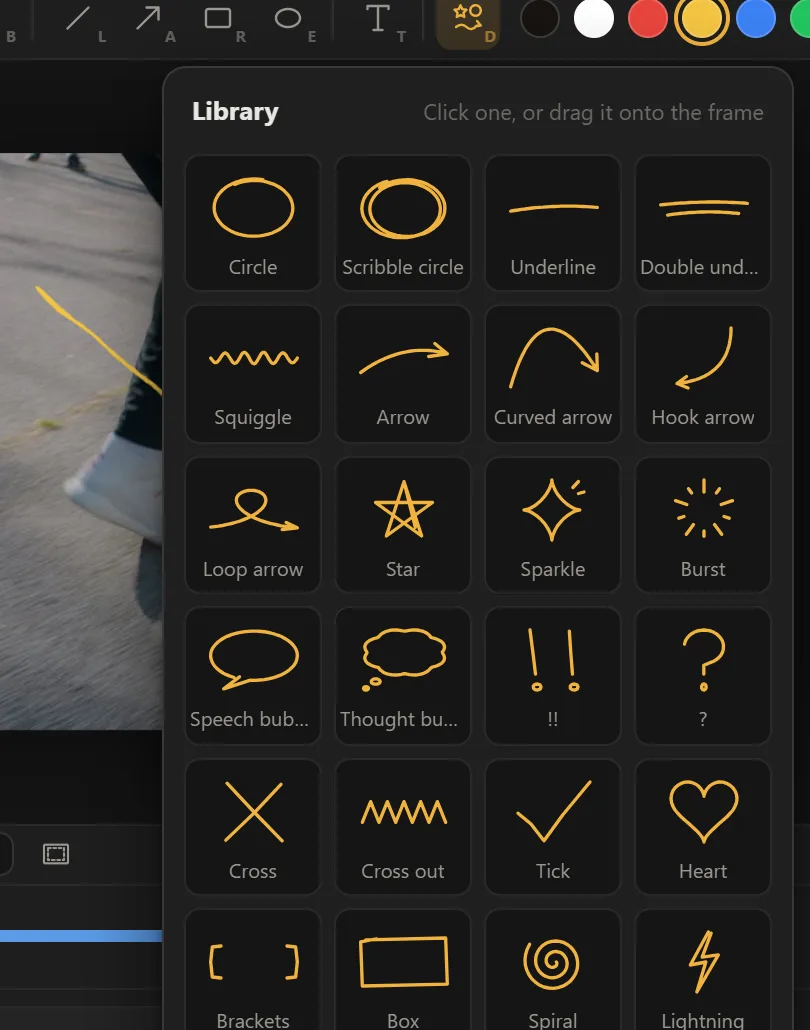
You don’t have to draw it yourself.
Choose from 26 animated doodles: arrows, circles, stars, speech bubbles, ticks and more. Click one, or drag it onto the frame, and it draws itself on like the rest.
Text → Hand-drawn
Keep the timing. Change the handwriting.
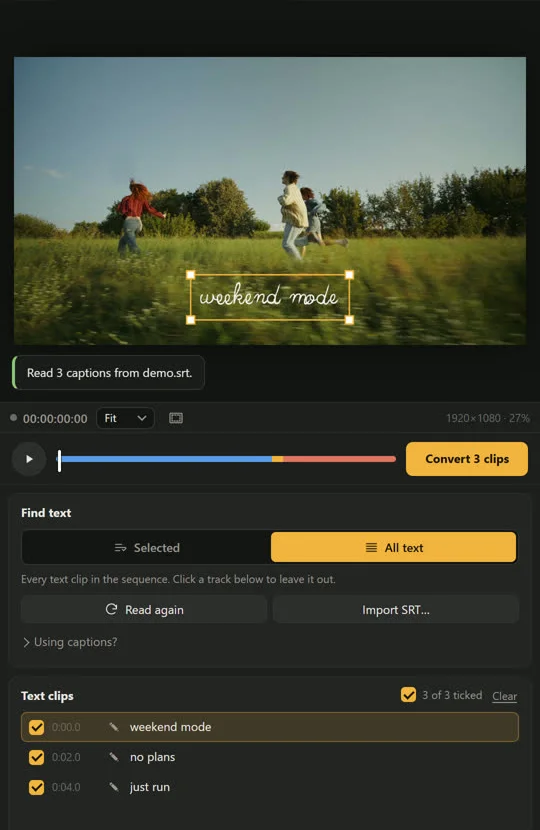
Select existing text or caption clips and turn them into hand-drawn animation in place. Draffi keeps their screen position and timing, switches off the originals and lets you undo the conversion.
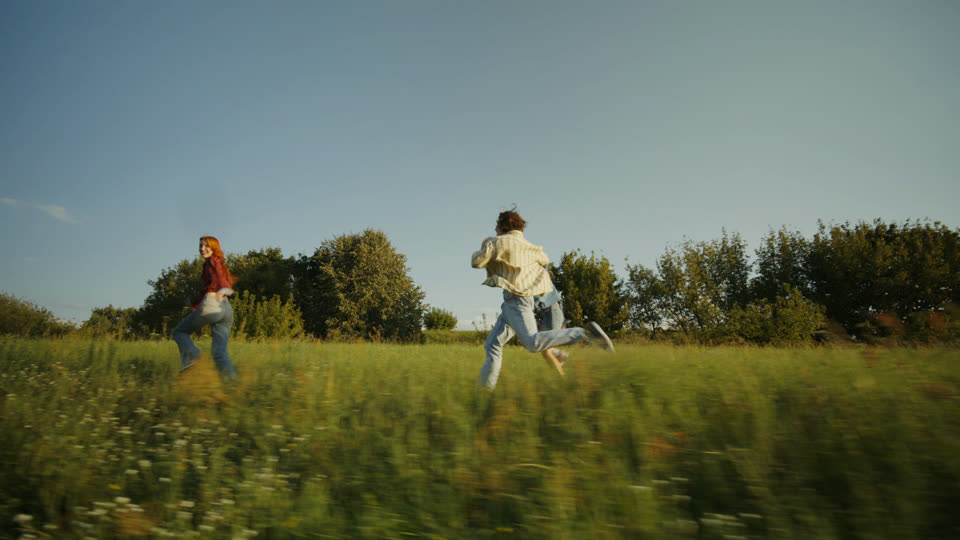
drag across the shot
- ✓Same place, size and timing as your originals
- ✓Originals switched off, never deleted
- ✓Undo or redo the whole conversion
- ✓Word-by-word captions keep writing as one sentence
- ✓A style, font and speed per clip, or for all
- ✓Import an SRT file too
12 text styles, from real single-stroke handwriting to Manga slam.
Type your own word and try them. This is Draffi’s engine running in your browser, the same one that renders in Premiere.
inking…
Handwriting
Write in the language your audience reads.
Bangla, Hindi, Arabic, Hebrew, Thai, Cyrillic, Greek and accented Latin, with right-to-left layout where needed. Six Bangla and eight Hindi handwriting fonts are included. Use any font installed on your computer, Adobe Fonts included, or add your own .ttf or .otf files.
Drawn live by Draffi’s engine in the plugin’s own fonts. Scripts whose letters join animate word by word; the single-stroke pen writes English letters only.
Free includes every feature, with 10 exports in total: one per clip placed on your timeline. Updating a clip in place doesn’t count. Pro is unlimited.
also included
More ways to give an edit some ink.
Draffi also includes ink transitions, anime impact frames and gradient-map cut transitions.
Cover the cut with ink.
Choose from 11 animated ink transitions. Draffi fully covers the screen exactly on the cut, then reveals the next shot. Pick the colour, line weight and speed.
Turn your own footage into the impact.
Anime-style impact frames made from your shot: 11 styles, plus punch-in, shake and speed lines. Put the playhead on the hit, click where it lands, and Draffi redraws the real frames.
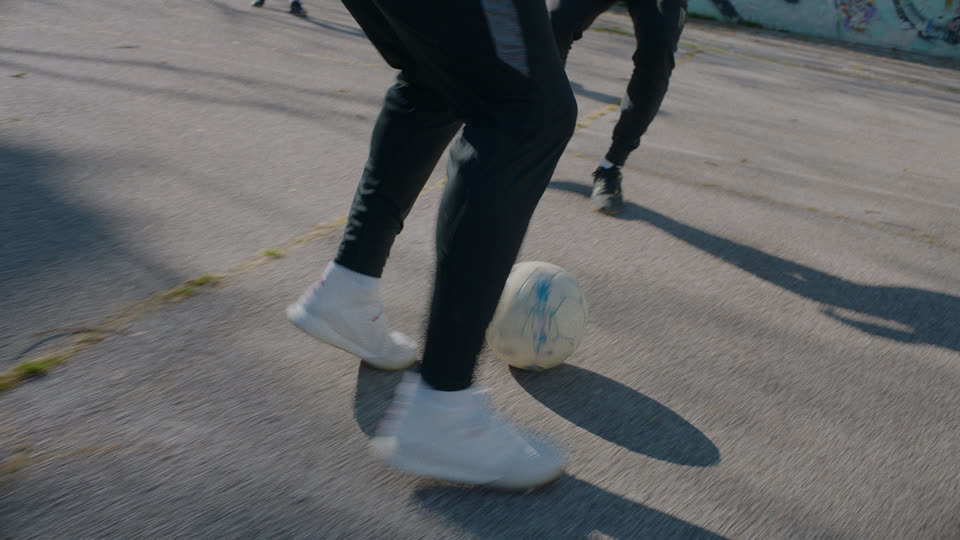
Give the cut a burst of colour.
Eight gradient-map palettes (four shown here), made from the footage on either side of your cut. It comes in with a cut, a fade, a wipe or spreading blobs, strongest right on the cut.
One-time payment. No subscription.
built for real edits
Add the animation. Keep control of the edit.
Draffi places clips on free tracks in your sequence. Cancel or undo a job, or reopen a Draffi clip, change its settings and replace it in place.
Free tracks only
Clips go on the lowest free video track above V1, at the playhead. Nothing already in your sequence is moved or overwritten.
Undo and cancel
Every job can be cancelled while it runs. Caption conversions undo in one click, and the originals come back on.
Change it later
Select a Draffi clip and press Edit selected clip: it reopens with its settings, and Add replaces it in place.
Any frame rate
The panel matches your sequence’s size and frame rate, and the drawings keep the same hand-drawn timing at any frame rate.
What Draffi makes
Transparent clips. Each animation renders as a PNG sequence with transparency, saved next to your project and imported as one clip into a Draffi bin. To change one, reopen it through Draffi and render the replacement.
Where it runs
Windows · Premiere Pro 2026+ · After Effects 2025+. In After Effects the same panel works on the active composition. A Mac version is being tested and isn’t supported yet.
pricing
$9 once. No subscription.
Every feature is in Free and Pro. Free gives you 10 exports to try it on real edits; Pro makes them unlimited.
$9
Worldwide, paid once.
- ✓Unlimited exports of everything
- ✓Draw, Follow movement and 26 doodles
- ✓12 text styles and Text → Hand-drawn for your captions
- ✓Bangla, Hindi, Arabic and more; your own fonts
- ✓11 ink transitions, 11 impact styles, 8 gradient maps
- ✓Two computers, one in use at a time. Works offline.
- ✓Use what you make in personal and client work
Free
10 exports
Every feature, 10 exports in total: one per clip placed on your timeline, whether it’s text, a drawing, a transition or impact frames. Updating a clip in place doesn’t count.
- ✓Every feature, every font
- ✓No watermark on what you export
- ✓Enter a Pro key any time to unlock the rest
Windows · Premiere Pro 2026+ · After Effects 2025+ · Made by OddBirds, a small studio in Bangladesh.
questions
Before you install.
Compatibility, export limits and how Draffi fits into your project.
What does Free include?
Every feature, with 10 exports in total: one per clip placed on your timeline, whether it’s text, a drawing, a transition, impact frames or a gradient map. Updating a clip in place doesn’t count. Pro makes exports unlimited.
Which Adobe versions does Draffi support?
Premiere Pro 2026 or newer and After Effects 2025 or newer, on Windows 10 or 11.
Is Mac supported?
Not yet. A Mac version is being tested; until it is, Draffi is for Windows only.
Do I need to know After Effects?
No. You draw, type or pick a style in the panel, press Play to preview, then Add to timeline. There are no keyframes to set.
Does this replace my original captions?
It switches them off, it never deletes them. Undo last conversion takes the hand-drawn clips off the timeline and turns the originals back on.
What kind of clips does Draffi create?
Transparent clips. Each animation renders as a PNG sequence with transparency, saved in a Draffi Renders folder next to your project, and imported as one clip into a Draffi bin.
Can I change an animation later?
Yes. Select the Draffi clip on your timeline and press Edit selected clip: it reopens with all its settings, and Add replaces it in place.
What happens when tracking slips?
Draffi tells you when it lost what it was following. Where something passes in front, the drawing glides across the gap. To correct a slip, go to that frame and use Fix from here to re-track from there.
How does the licence work?
Two computers, one in use at a time. Works offline. To move to a new computer, deactivate the licence in the Help menu, then enter the same key there.
Does it need the internet?
No. The licence key is checked on your computer, and rendering happens on your computer. When you are online, the panel tells us once a day that it’s in use (a random id, Free or Pro, the version), so we know how many people use Draffi. Nothing about your projects or files is sent, and Help › About turns it off.
Can I use the results in client work?
Yes. Everything you make with Draffi belongs to you, for personal and commercial work, with no royalties.
Which languages can it write?
Bangla, Hindi, Arabic, Hebrew, Thai, Cyrillic, Greek and accented Latin, with right-to-left layout. The single-stroke Handwriting pen writes English letters; other alphabets use the other styles with Draffi’s fonts or yours.